


النقاط الرئيسية
- A handheld RF remote should remain the fastest local control for everyday roof, screen, and lighting commands.
- A wall-mounted touch panel is the strongest shared interface for hospitality, showrooms, and premium residential installations.
- A mobile app adds scenes, schedules, status, and remote access, but should not be the only way to operate the pergola.
- Rain, wind, sun, and snow logic belongs in the controller. It must outrank manual commands and interface choice.
The comparison is often framed as a product choice: choose a touchscreen for a premium feel, a remote for simplicity, or an app for smart-home integration. That framing is too narrow for an OEM. The interface changes the bill of materials, installation method, commissioning process, support burden, and the way a customer experiences the entire pergola.
The better question is: which control path should be primary, which should be complementary, and which commands must remain automatic even when every person is looking at the wrong screen?
What is the best pergola control interface for manufacturers?
There is no single winner. For most motorized pergola platforms, the best architecture is layered: handheld RF control for immediate local actions, a fixed touch panel for shared access, and a mobile app for scenes and remote status. The controller should arbitrate all three, so the roof behaves consistently regardless of how the command was sent.
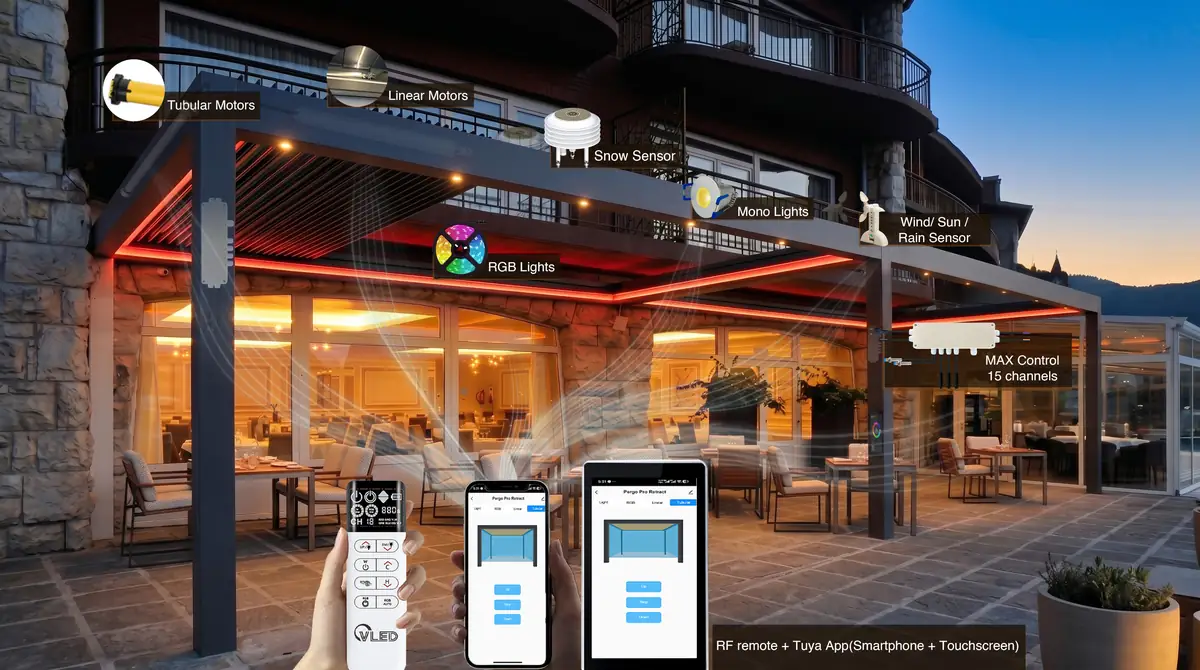
This approach matches how professional systems are presented by established control brands. StruXure describes a bridge that connects RF-enabled pergola features to app, voice, and home-automation control, while Somfy positions its Pergola io Louver Control around remote smartphone control and sensor-assisted protection. The common lesson is architectural: multiple interfaces are access points to one control system, not separate products competing for authority.
Handheld remote: the best first response
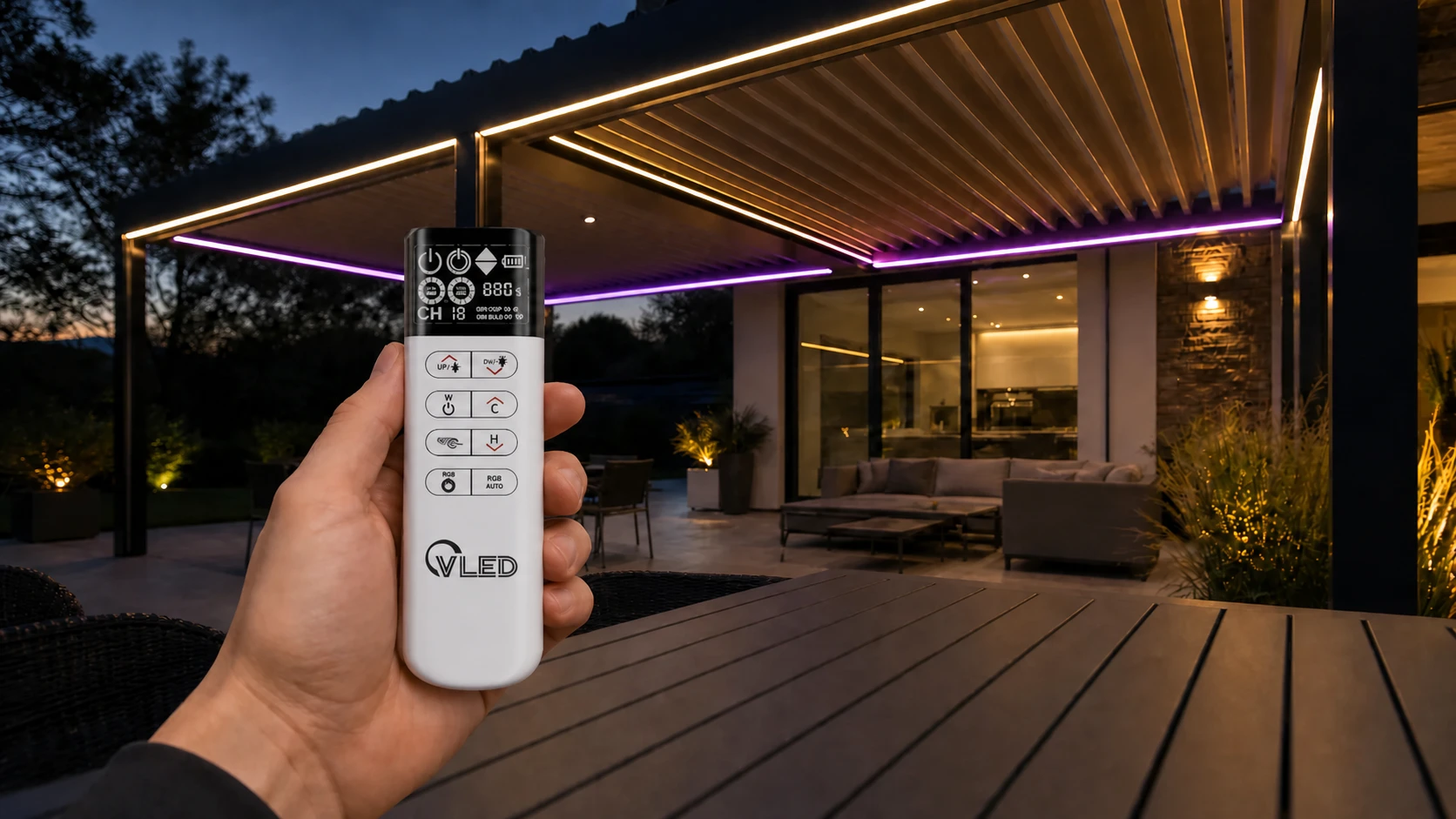
A handheld RF remote is the most direct interface for a customer who wants to open a louver, stop a motor, dim a light, or select a scene without finding a phone. It has a short interaction path, works while the phone is locked, and gives installers a clear commissioning tool. That makes it the right baseline for a pergola sold as a dependable physical product.
RF also suits the way people use outdoor structures. A user may be carrying food, wearing gloves, walking between zones, or responding to rain. A dedicated button is easier to locate than an app screen. For a product family, physical controls also reduce training time because the same command map can ship with every unit.
Where a remote performs well
- Fast open, close, stop, tilt, and dimming commands.
- Local operation when Wi-Fi or a cloud service is unavailable.
- Simple zone selection for multi-section pergolas.
- Installer pairing, functional testing, and handover.
The weakness is not RF itself. It is the remote as the only interface. Batteries can be missing, the device can be misplaced, and small displays can make advanced scenes difficult to configure. VLEDSTAR’s published control platform addresses the local-control need with RF operation, multi-channel grouping, and a stated control range of more than 100 meters, while also specifying anti-interference performance through 3 mm aluminium structures. Those are product-level claims to validate in the finished assembly, not assumptions to carry from a workbench test.
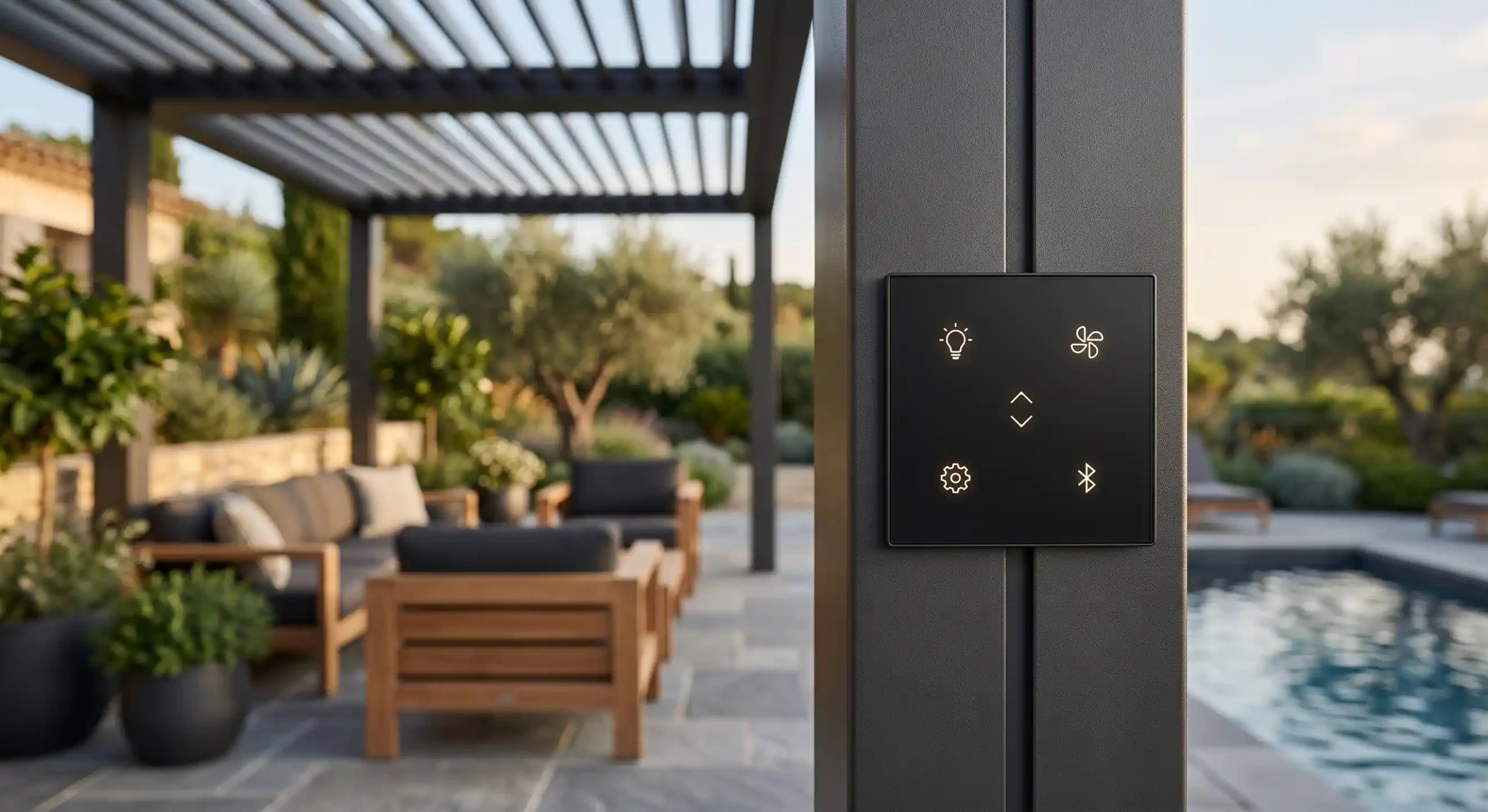
A fixed touch panel becomes valuable when several people need access to the same pergola or when the control point should always be visible. It is especially suitable for hospitality terraces, restaurants, showrooms, model homes, and high-end residential projects where a wall-mounted interface feels more complete than a loose accessory.
The panel can expose more system status than a small remote: active zone, light level, louver position, sensor lock, scene name, or maintenance message. That visibility matters when a command is intentionally blocked. “The roof is not opening” is a service problem; “Rain protection is active” is understandable product behavior.
Where a touch panel earns its place
- Shared access at a doorway, bar, reception desk, or service point.
- Clear control of several zones, lighting types, and motor groups.
- Visible feedback for weather states and system status.
- A premium, integrated user experience that can be part of the pergola design.
The trade-off is installation. A panel needs a deliberate location, power or communication planning, and a mounting method that suits the environment. It should not be added after the aluminium profiles and wiring are finalized. The control-box decision has the same constraint: beam, post, or separate enclosure placement affects RF performance, service access, thermal load, and cable routing.
For OEMs, a touch panel is therefore more than a user-interface upgrade. It is a product-design decision that needs to appear in drawings, harness planning, installer instructions, and spare-parts strategy.
Mobile app: the best interface for scenes and remote status
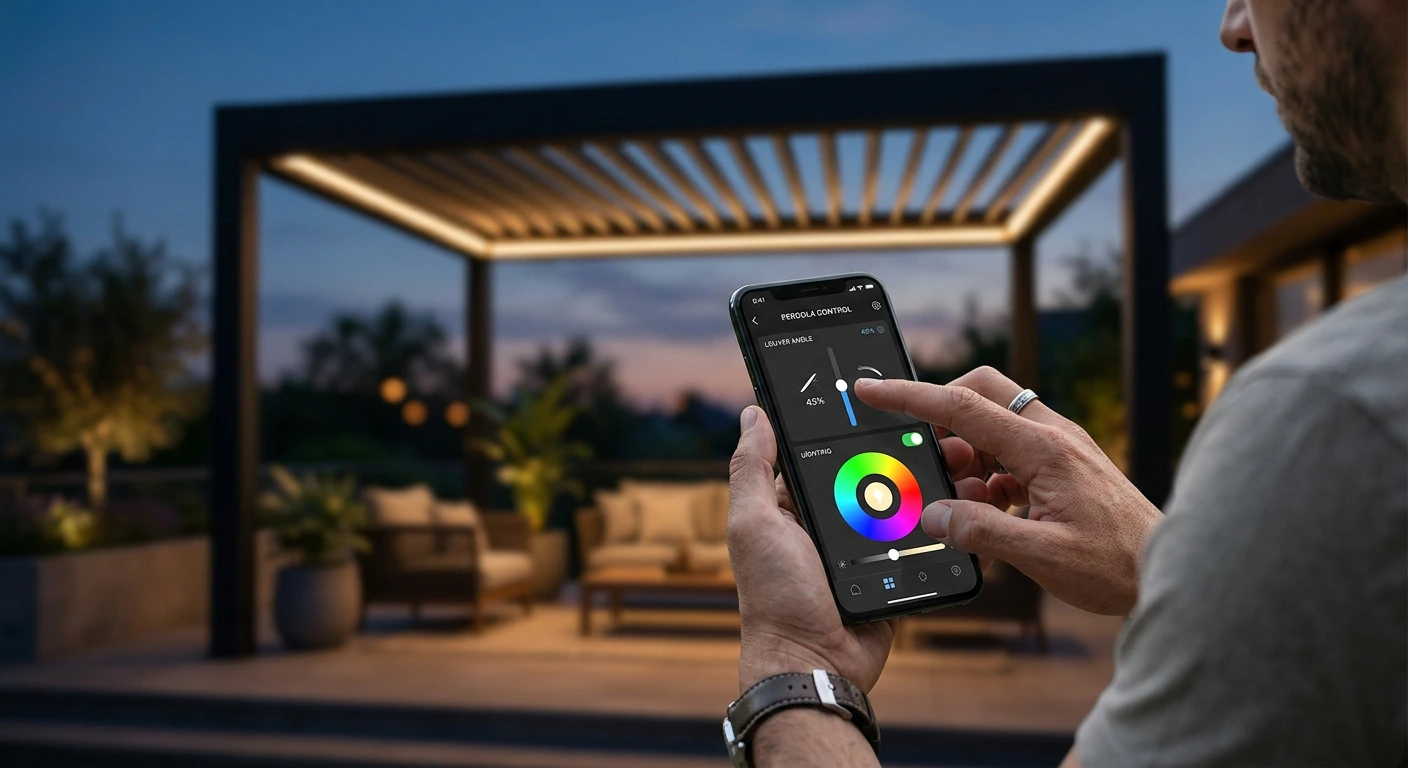
A mobile app adds functions that a handheld remote and a basic panel cannot deliver as comfortably: scheduled scenes, away-from-home status, device naming, multi-zone configuration, and integration with a wider smart-home environment. It is the right layer for customers who want the pergola to behave as part of a daily routine rather than as an isolated motorized roof.
App control is already a familiar direction in the market. BT Group’s BT Remote describes app control for pergolas, awnings, screens, lights, weather sensors, and custom scenarios. The practical limitation is dependency. Wi-Fi coverage, account setup, permissions, gateway availability, firmware maintenance, and cloud-service continuity all influence the experience.
What OEMs should specify before promising app control
- Does local control continue when the internet is unavailable?
- Which functions run locally, and which require a gateway or cloud account?
- Can an installer commission the product without using the end user’s phone?
- How are devices transferred when a property changes owner?
- What happens to schedules and sensor rules after a power interruption?
App control should extend the product, not become a single point of failure. A useful specification separates local motor safety and weather logic from remote convenience. If the app is unavailable, the roof should still respond to its defined protective states and to a local control path.
Touch panel vs remote vs app: an OEM comparison
The following comparison is a design filter, not a universal scorecard. The correct choice depends on the product tier, installation environment, expected zones, and service model. VLEDSTAR’s reference system combines RF remote, Tuya app, and touchscreen panel in one integrated architecture, with up to four linear actuators, up to two tubular motors, 15 RF channels, and weather-sensor inputs.
| Decision factor | Handheld RF remote | Touch panel | Mobile app |
|---|---|---|---|
| Fast local command | Excellent | Good | Fair |
| Shared access | Fair | Excellent | Good, if each user is configured |
| Scenes and schedules | Limited | Good | Excellent |
| Works without internet | Usually strong, depending on RF design | Strong when locally connected | Must be specified and tested |
| Status visibility | Limited | Excellent | Excellent |
| Installation impact | منخفض | Medium to high | Medium, gateway and network dependent |
| Best OEM role | Mandatory local fallback and everyday use | Premium shared control point | Automation, remote access, and configuration |
For a basic single-zone pergola, an RF remote may be enough. For a multi-zone roof with integrated lighting and screens, the layered model is easier to sell and support. The key is to keep the command vocabulary consistent: open, close, stop, tilt, light level, scene, and protected state should mean the same thing on every interface.
Why weather-sensor priority matters more than the interface
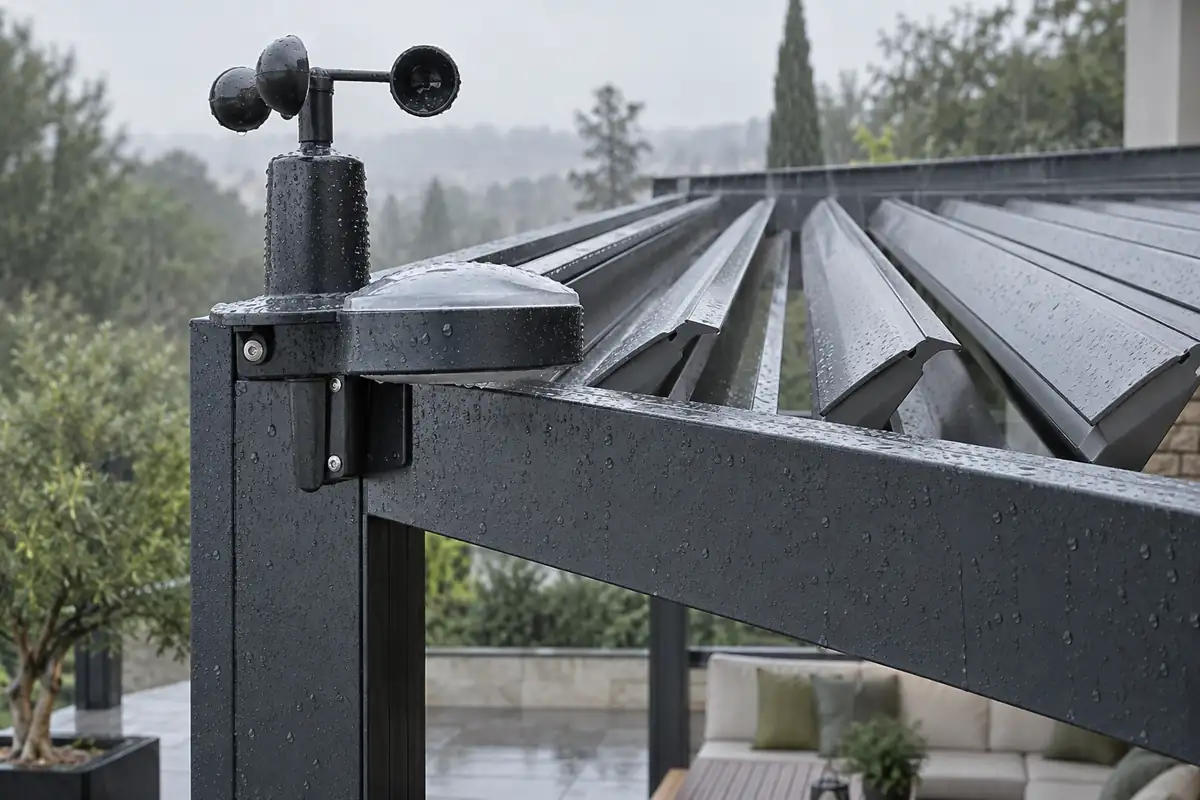
A control interface only sends an instruction. The controller decides whether that instruction is allowed. In a professional pergola, the safety hierarchy must be defined before the remote face, panel screens, or app scenes are designed: rain and wind protection outrank comfort automation, while sun or light logic remains a lower-priority function.
A practical priority model is Rain > Wind > Light > Manual comfort commands. The exact thresholds and roof positions depend on the structure and engineering review. The important point is that every interface must display or communicate the same state. A manual “open” command should not silently defeat an active rain lock simply because it came from a physical button.
VLEDSTAR’s published guidance on sensor priority logic describes a state-based approach in which rain, wind, light, manual commands, confirmation timers, and post-event holds are evaluated together. That logic is more important than whether the customer uses a panel, remote, or app. It is also where manufacturers can prevent contradictory movements, confusing service calls, and unsafe assumptions.
OEM test rule: Trigger rain while sending an open command from every available interface. Then trigger wind while a light scene requests closure. Confirm the same protective response, lock behavior, status message, and recovery sequence across the remote, touch panel, and app.
How to choose the right architecture for your pergola product line
Choose the interface combination from the customer journey and the service plan, not from the interface’s novelty. A premium control system should be easy to operate on day one, understandable during a weather event, and diagnosable by an installer months later.
For entry and mid-range models
Make the handheld remote the default. Add clear channel labels, a repeatable pairing process, and a documented local response when the app or network is unavailable. This keeps the system approachable while leaving a path for an app-enabled upgrade.
For premium residential models
Use the remote as the immediate fallback, the app for scenes and remote status, and the touch panel where the architectural design benefits from a fixed control point. Keep lighting zones and louver zones aligned across all three interfaces.
For hospitality and commercial projects
Prioritize a fixed panel or service interface, clear zone naming, and a commissioning workflow that does not depend on a guest’s phone. The app can support managers and remote status, but the local control path must remain obvious to staff.
Before release, validate the finished assembly rather than isolated components. Test RF performance inside the aluminium structure, the panel location, app behavior at the edge of Wi-Fi coverage, all motor limits, lighting loads, sensor recovery, and power interruption. The VLEDSTAR integrated pergola control system page is a useful reference for how lighting, actuators, tubular motors, sensors, and multi-control modes can be specified as one system.
Final position: sell a control system, not three disconnected interfaces
Handheld remotes, touch panels, and mobile apps solve different parts of the pergola experience. The remote wins at speed and availability. The panel wins at shared, visible control. The app wins at scenes, status, and remote access. None of them should be responsible for weather protection on its own.
For most OEM platforms, the strongest specification is a layered system with consistent commands, local fallback, clear protected states, and a controller that owns the priority logic. That decision gives dealers a simpler story and gives end users a system that behaves predictably when conditions change.
Build the control architecture into the pergola from the start
VLEDSTAR develops integrated pergola lighting and control solutions for manufacturers, including RF remotes, app and touchscreen control, motor outputs, lighting channels, weather sensors, connectors, and OEM/ODM configurations. Review the pergola lighting and accessory range, then contact the VLEDSTAR engineering team with your roof type, motor count, lighting zones, sensor requirements, and target market.

التنبيه: Control Systems for Restaurant and Hotel Pergolas: Multi-Zone Lighting and Weather Automation