


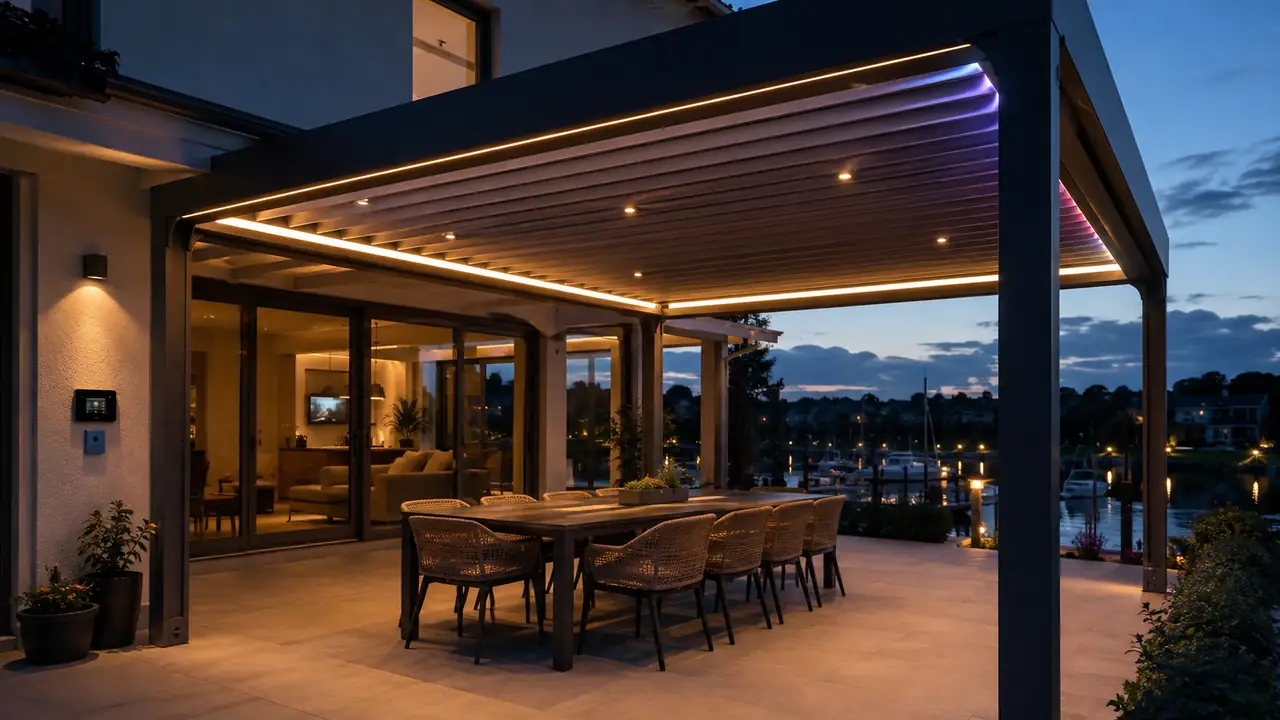
A premium pergola should not ask the homeowner to think like an installer every time the weather changes, dinner starts, or the evening light begins to fade. The strongest pergola control systems translate complex hardware into simple, repeatable scenes: Dinner Mode, Sunset Mode, Storm Mode, Cleaning Mode, Privacy Mode, Showroom Mode, and dealer presets that make the same product feel consistent from one installation to the next.
That is why scene control deserves a more serious place in pergola product development. For manufacturers, scenes are not decorative software labels. They are a way to package lighting, louvers, screens, sensors, remotes, app logic, and commissioning into one predictable user experience.
The central argument: pergola brands should treat scene control as part of the product architecture, not as a late-stage smart-home extra.
The practical outcome: better dealer handover, fewer user mistakes, stronger brand differentiation, and a more convincing premium upgrade story.
Why Scene Control Matters More Than Another Remote Button
Many pergola control discussions still start with device count: how many motors, how many light channels, how many sensors, how many remote groups. Those details matter. A louvered pergola may need actuator control, tubular motor control, mono LED dimming, RGB or RGBW ambience, rain detection, wind response, sun tracking, snow logic, and sometimes screens or heaters.
But the end customer does not buy channels. They buy situations.
They want dinner to feel warm without glare. They want the roof to react before rain reaches the table. They want a relaxed sunset setting that does not blast the space with blue-white light. They want a party scene that feels intentional, not like someone discovered an RGB strip for the first time. They want one action to do the work of six separate adjustments.
For pergola manufacturers selling through dealers in Europe and North America, this changes the design question. The question is no longer only, “Can the controller operate the devices?” The better question is, “Can the system deliver the right outdoor living experience repeatedly, across different installers, markets, pergola sizes, and customer expectations?”
This is where an integrated platform such as VLEDSTAR’s système de contrôle de pergola becomes strategically important. When lighting, motors, and weather sensors are planned together, scenes can be engineered as product behavior instead of patched together at the end of installation.
What Buyers Actually Need From Pergola Scenes
Most homeowners interested in smart pergola control are trying to solve a lifestyle problem: shade, ambience, comfort, automation, and simple app or remote operation. Most manufacturers looking at the same category are dealing with a different pressure: how to make advanced functions easy for dealers to install, explain, and support.
The visible market content tends to emphasize app control, voice control, weather automation, and luxury outdoor living. Those are valid buying triggers, but they often miss the deeper OEM issue. A scene is only valuable if the hardware behind it is reliable, the logic is understandable, and the dealer can reproduce the setting without a long support call.
That gap creates an opportunity. Instead of presenting scene control as another smart feature, pergola manufacturers can position it as a system-level advantage: the customer gets a more intuitive pergola, the dealer gets a faster commissioning workflow, and the brand gets a more distinctive product line.
Dinner Mode: The Scene That Tests Lighting Quality
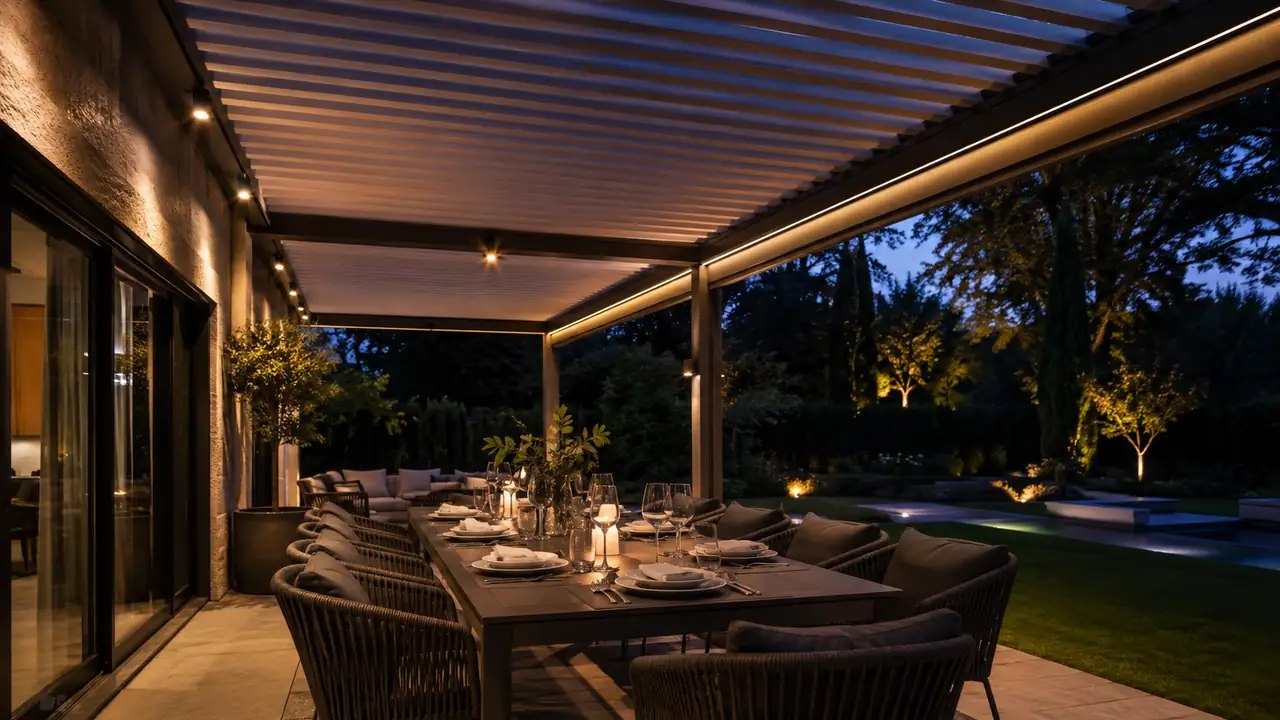
Dinner Mode is the most revealing scene because it exposes weak lighting design immediately. If the light is too harsh, faces look flat. If the color temperature is too cool, the dining area feels clinical. If the downlights are placed without a clear beam strategy, the table may be bright while the people around it sit in shadow.
A good Dinner Mode usually does three things at once. It lowers glare, balances table visibility with facial comfort, and keeps the surrounding structure softly visible. The ideal result is not maximum brightness. It is enough vertical and horizontal illumination for people, food, tableware, and safe movement without turning the pergola into a retail display.
Manufacturers should define Dinner Mode through hardware and preset logic, not only through a dimming slider. That means selecting the correct mix of recessed spotlights, linear LED strips, wall or post lighting, and diffuser quality. It also means deciding whether the product line should use single-color warm white, tunable white, RGBW, or separate mono and RGB zones.
VLEDSTAR’s pergola lighting kits and smart controls are useful here because they bring fixtures, drivers, controls, wiring, and accessories into one design conversation. A lighting scene is only as good as the physical lighting layer behind it.
What Dinner Mode Should Control
| Control layer | Preferred behavior | Why it matters to manufacturers |
|---|---|---|
| Primary downlights | Warm or neutral-warm output, dimmed below task-lighting intensity | Prevents a luxury pergola from feeling over-lit during dining |
| Linear strips | Soft perimeter glow or indirect beam through aluminum profiles | Adds architectural depth without relying on visible decorative fixtures |
| RGB or RGBW ambience | Subtle accent color, not saturated entertainment color | Keeps the scene premium rather than gimmicky |
| Louvers | Partially open when weather allows, closed or adjusted when needed | Links comfort, ventilation, and lighting into one user action |
| Remote and app | One named preset with dealer-adjustable defaults | Simplifies handover and reduces user confusion |
Dinner Mode also benefits from responsible outdoor lighting principles. Guidance from DarkSky International emphasizes useful, targeted, low-level, controlled, and warmer lighting. Pergola manufacturers do not need to market themselves as dark-sky specialists, but they should understand the direction of travel: premium outdoor lighting is becoming less about brightness and more about control, comfort, and restraint.
Sunset Mode: The Brand Experience Scene
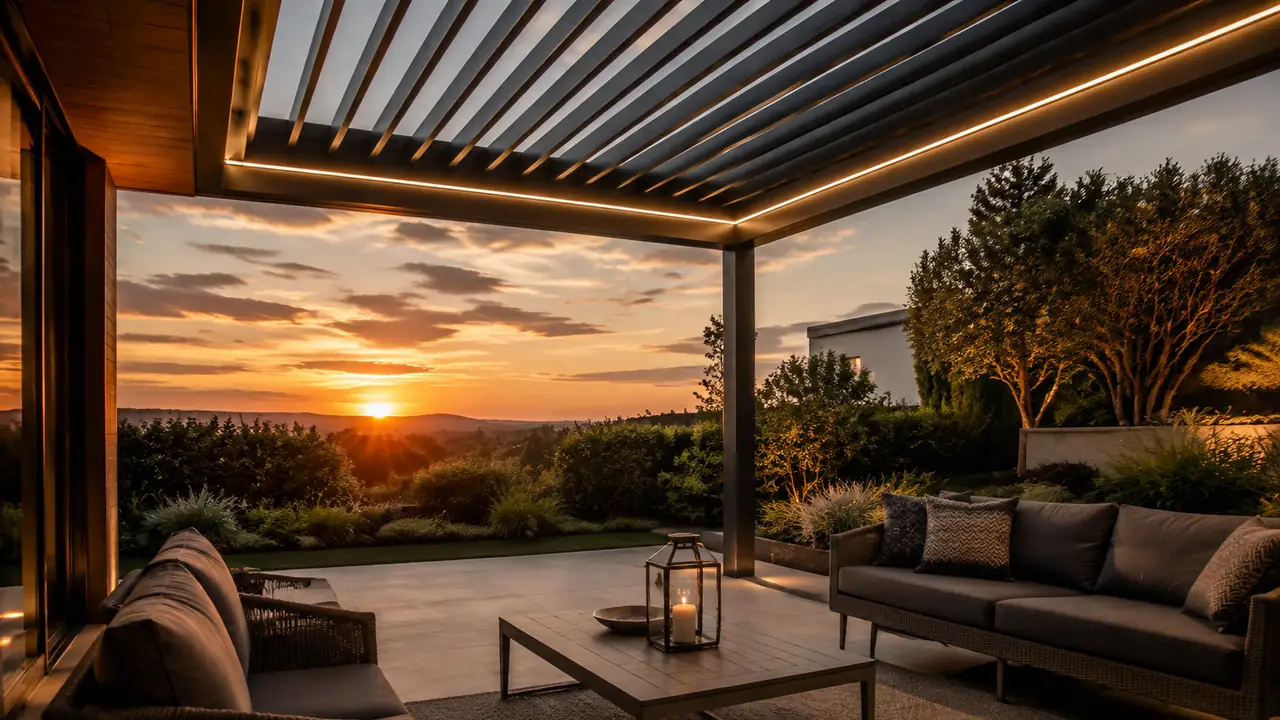
Sunset Mode is where a pergola starts to feel like a branded product instead of assembled hardware. At dusk, the customer is emotionally sensitive to the transition between natural and artificial light. A system that jumps from daylight to harsh white light breaks the mood. A system that gradually shifts intensity and warmth feels more refined.
For manufacturers, Sunset Mode is a high-value preset because it is easy for dealers to demonstrate. In a showroom, one button can show the product’s emotional range: louvers adjusting, warm white light rising, RGBW accents staying controlled, and possibly side screens moving into a privacy position.
The important detail is restraint. Sunset Mode should not be treated as a color-changing performance unless the product is aimed at entertainment venues. For residential villas, boutique hospitality spaces, and premium outdoor dining areas, the most convincing preset is often warm, low, layered, and quiet.
This is also where manufacturers should consider their smart-home path. App scenes, RF remotes, wall panels, and broader smart-home ecosystems all have a role, but they should not fight each other. Matter, developed by the Alliance pour les normes de connectivité, reflects the wider market demand for simpler smart-home interoperability. For pergola OEMs, the lesson is not that every product must chase every protocol immediately. The lesson is that homeowners increasingly expect scenes to feel portable, named, and understandable across devices.
How to Make Sunset Mode Feel Premium
Start with the lighting sequence. The mono white channel should carry the useful light. RGB or RGBW should support mood, not replace functional illumination. If the pergola has linear strips, use them to reveal edges, louvers, posts, or the inside of the frame. If the design includes downlights, keep them dimmed enough to avoid glare when people look up toward the roof.
Then connect the louver position. At sunset, customers often want the sky visible but the seating area protected from low-angle glare. A partial louver angle can become part of the preset. In more advanced systems, dealers can adapt the default angle according to product geometry and local market preference.
Finally, give dealers a naming and handover script. A preset called Sunset Mode should always do what the customer expects. If one dealer programs it as warm relaxation and another programs it as saturated orange RGB, the brand loses control of its own experience.
Storm Mode: The Scene Where Safety Overrides Ambience
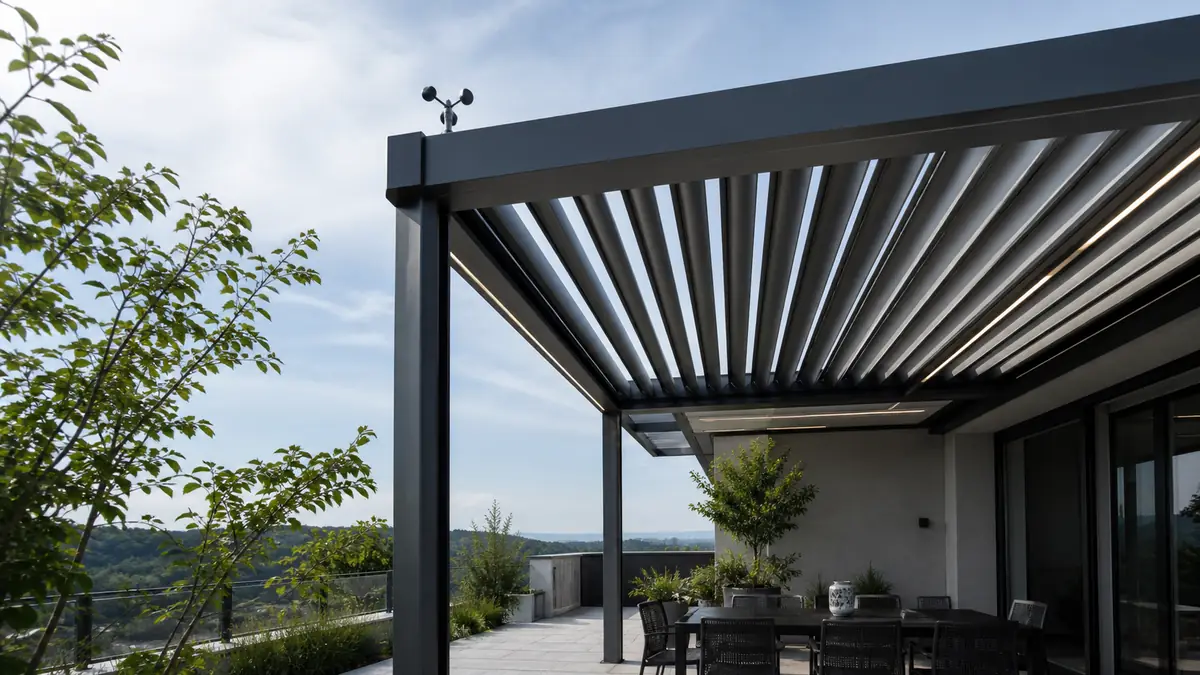
Storm Mode is not a mood scene. It is a protective state. That distinction matters because safety scenes need hierarchy. If wind, rain, snow, or obstruction logic requires a motor response, the system should not let a decorative lighting scene confuse the user about what is happening.
A professional Storm Mode may close or open louvers depending on engineering strategy, retract screens or movable parts, disable risky manual commands during sensor response, and keep only necessary low-level lighting active for visibility. The exact behavior depends on pergola design, motor type, local climate, and manufacturer warranty policy. A roof with linear actuators, a retractable roof with tubular motors, and a structure with side screens may need different storm logic.
This is why weather automation cannot be treated as an add-on sensor. It has to be part of the control platform. VLEDSTAR’s unité de commande de pergola is positioned around one IP-rated box managing LED lighting, actuator movement, tubular motors, and weather sensors. That kind of integration gives manufacturers a more coherent base for protective presets.
Manufacturers should define Storm Mode with engineering, sales, and after-sales teams in the same room. The scene needs to protect the product, satisfy customer expectations, and remain simple enough for dealers to explain. A storm preset that sounds clever but creates nuisance triggers will become a service problem.
Storm Mode Needs Clear Priorities
- Protect the structure and moving components first.
- Protect people and furniture through predictable roof behavior.
- Keep manual override rules clear and documented.
- Use lighting only to support visibility and status awareness.
- Give the dealer a repeatable commissioning checklist.
Sensor placement and threshold strategy are part of this work. For deeper manufacturer-level planning, VLEDSTAR has separate guidance on Emplacement du capteur de pluie pour les toits à lamelles motorisés et Seuils des capteurs de vent pour les pergolas. Those topics directly shape whether Storm Mode feels trustworthy or annoying.
Dealer Presets: The Missing Layer Between OEM Design and Site Reality
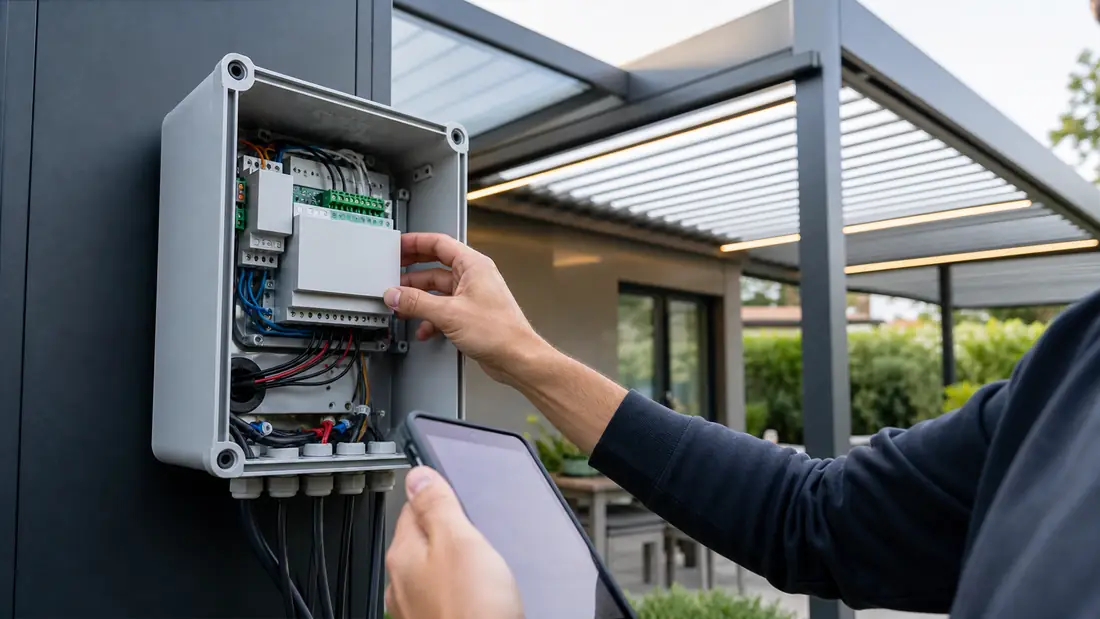
Dealer presets are the most underrated part of pergola scene control. A factory can design a strong control platform, but dealers still have to make it work in real homes, restaurants, hotels, and showrooms. The same pergola model may be installed beside a pool in Spain, on a windy terrace in the Netherlands, or in a North American backyard with an outdoor kitchen and privacy screens.
Dealer presets bridge the gap between factory logic and local use. They let the manufacturer protect the core behavior while giving installers room to adapt scene values within defined limits.
This is especially important for brands with multi-tier product lines. Entry models may need simple scenes: Open, Close, Dinner, Storm. Premium models may add Sunset, Privacy, Party, Cleaning, Showroom, Restaurant Service, or Seasonal Protection. Commercial models may need group control across multiple bays, with presets for lunch service, evening service, closing time, and weather lockout.
VLEDSTAR’s article on dealer-friendly motorized pergola control kit design makes this point from the installation side: controls should reduce dealer friction, not add another layer of complexity. Scene presets are one of the clearest ways to do that.
What Dealer Presets Should Include
| Preset area | Factory-defined | Dealer-adjustable |
|---|---|---|
| Scene names | Standard naming for brand consistency | Local language or project naming where needed |
| Lighting limits | Maximum brightness, default color family, safe dimming range | Fine-tuned levels for table position, ceiling height, and fixture layout |
| Louver positions | Recommended angle behavior for comfort and protection | Adjusted angles based on orientation, sun path, and customer preference |
| Réaction aux conditions météorologiques | Approved safety logic and threshold ranges | Commissioned sensor position and local threshold selection |
| Control interface | Remote channel map, app template, wall panel logic | Room naming, group assignment, and handover explanation |
The best dealer preset strategy protects the brand without trapping the installer. Manufacturers should define the boundaries; dealers should adapt the final values. That balance keeps the product professional while still respecting site variation.
Remote, App, Wall Panel, and Voice: Scenes Need a Control Hierarchy
Scene control becomes messy when every interface behaves differently. If Dinner Mode exists in the app but not on the remote, the homeowner may assume the remote is limited. If Storm Mode appears as a normal user scene, someone may treat it as optional. If a wall panel uses different names from the app, the dealer has to explain the system twice.
Manufacturers should define a control hierarchy before production. In many pergola projects, RF remote control remains essential because it is fast, physical, and familiar. App control is valuable for naming scenes, adjusting details, and managing advanced settings. Wall panels work well for villas, hospitality spaces, and users who want a fixed control point. Voice control can be useful, but it should not be the only way to trigger important behavior.
For most OEMs, the strongest architecture is layered:
- Use the RF remote for daily scenes and core movement.
- Use the app for detailed scene editing, schedules, and grouping.
- Use the wall panel for premium fixed access in high-use locations.
- Use sensor logic for protective behavior that should not depend on user memory.
- Use voice or smart-home integration as a convenience layer, not the safety foundation.
Tuya’s developer documentation on scene linkage shows how smart systems can combine device conditions and actions. For pergola manufacturers, the practical question is how much of that logic should be exposed to the homeowner and how much should be locked into factory or dealer presets.
VLEDSTAR’s one-remote control guide for actuators, mono LEDs, and RGB LEDs is relevant because it addresses the channel-map problem directly. A scene is not just a label. It depends on whether the remote, control box, app, and output channels are organized in a way that people can understand.
The Product-Line Opportunity: Scenes as Tier Differentiation
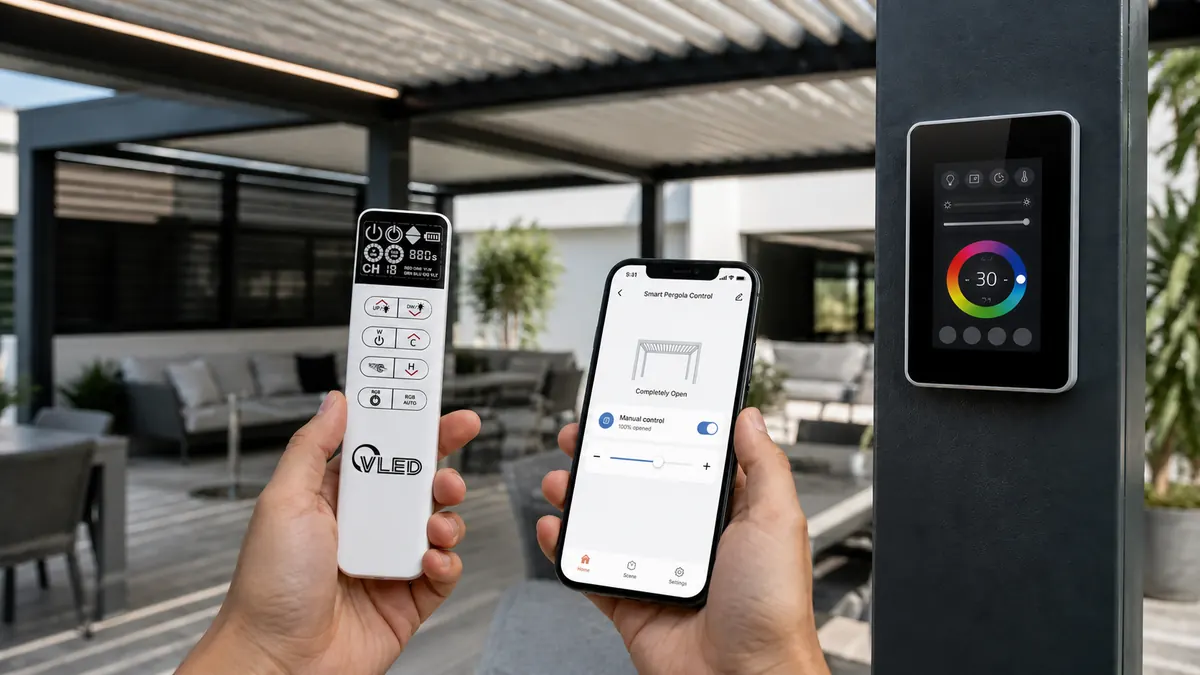
Scene control can help manufacturers avoid a common problem: every pergola in the lineup starts to sound the same. Aluminum profile, louver motor, LED strip, remote, rain sensor, app. Those features are important, but other suppliers can list similar words. Preset behavior is harder to copy because it combines product design, control logic, dealer training, and brand positioning.
For an entry-level model, scene control can make the product feel complete without adding unnecessary complexity. For a premium residential model, scenes can emphasize architectural lighting, silent transitions, and smart handover. For hospitality models, scenes can support operational schedules and multi-zone control. For coastal, alpine, or windy markets, protective scenes can become part of the value proposition.
This is where OEM customization becomes more than logo printing. VLEDSTAR supports pergola brands with control architecture, lighting kit design, control unit configuration, waterproof connectors, sensors, and OEM/ODM customization. The goal is not to force every manufacturer into the same scene set. The goal is to help each brand define presets that match its structure, dealer model, and target customer.
For a broader strategy view, see VLEDSTAR’s guide on custom pergola controls for product line differentiation. Scene control belongs in that conversation because it turns hardware capability into named product value.
How Manufacturers Should Specify Scene Control Before Production
Scene control should be specified before control boxes, remotes, and lighting kits are finalized. Waiting until installation creates avoidable compromise. The manufacturer may discover that the remote lacks enough practical buttons, the app scenes do not match the sales promise, the RGB channel behaves separately from white task lighting, or weather sensors cannot override user scenes cleanly.
A professional scene-control specification should answer these questions:
- Which scenes are standard across the product line?
- Which scenes are only available in premium or commercial models?
- Which outputs does each scene control: louvers, linear actuators, tubular motors, mono LEDs, RGB/RGBW, screens, fans, heaters, or sensors?
- Which values are factory locked, and which values can dealers adjust?
- How do weather sensors override comfort scenes?
- How does the system return to normal after a protective trigger?
- How are scenes named on the remote, app, and wall panel?
- What does the dealer test during commissioning?
- What does the homeowner receive during handover?
- How will after-sales teams diagnose a scene-related complaint?
These questions may look detailed, but they prevent far more expensive confusion later. A scene-control problem is rarely only a software issue. It may be a wiring issue, channel-map issue, sensor-placement issue, lighting-layout issue, remote-design issue, or dealer-training issue.
Point de vue du fabricant : the earlier scenes are defined, the easier it becomes to standardize BOMs, control-box outputs, remote layouts, packaging, dealer documentation, and showroom demos.
A Practical Scene Set for Modern Pergola Brands
Not every product needs a long list of scenes. Too many presets can make the system feel harder, not smarter. A strong default library should cover the main outdoor living moments and the main protection states.
| Scene | Typical use | Suggested manufacturer logic |
|---|---|---|
| Dinner Mode | Evening meals, family use, outdoor kitchens | Warm functional light, low glare, moderate louver opening if weather allows |
| Sunset Mode | Dusk transition, villa and showroom demos | Soft warm dimming, subtle perimeter light, optional partial louver angle |
| Storm Mode | Rain, wind, snow, or protective response | Sensor-led motor behavior, safe override rules, minimal status lighting |
| Privacy Mode | Residential terraces, hospitality cabanas | Side screen movement, lower ambience, perimeter visibility |
| Party Mode | Entertainment and commercial venues | Controlled RGB/RGBW accents with white light still available for safety |
| Cleaning Mode | Maintenance, hotel operations, dealer service | Higher neutral-white output, open access, disabled decorative effects |
| Showroom Mode | Dealer demos and sales events | Short sequence showing lighting, louvers, sensors, remote, app, and grouping |
The best list depends on market position. A minimalist residential pergola may need only four excellent scenes. A hospitality system may need fewer emotional names and more operational presets. A dealer demo kit may need a showroom sequence that proves the full control platform in less than a minute.
Why Integrated Hardware Makes Scenes More Reliable
Scene control fails when the physical system is fragmented. Separate lighting controllers, separate motor receivers, separate sensor modules, and separate remotes can work in simple projects, but they become harder to standardize as product lines grow. Every extra box creates another pairing step, another wiring path, another waterproofing point, and another possible support question.
Integrated hardware does not mean every function is physically inside one product in every case. It means the system is designed as a platform: outputs, connectors, firmware, channel logic, sensors, remotes, app control, and accessories are planned together.
VLEDSTAR’s Plateforme de contrôle de pergola OEM approach reflects this direction. For manufacturers, the value is not simply reducing component count. The deeper value is that scenes become repeatable because the control relationships are already mapped.
That repeatability matters for dealer networks. If one dealer spends hours pairing a remote, another modifies app scenes manually, and another bypasses a sensor because the wiring is unclear, the brand experience becomes inconsistent. A more integrated control kit makes the dealer’s work closer to product assembly than custom electrical troubleshooting.
For labor reduction specifically, VLEDSTAR’s article on how integrated controls reduce pergola installation labor explains why plug-and-play connectors, waterproof wiring, and one platform can reduce training and commissioning burden.
Scene Control Also Changes the Sales Conversation
Manufacturers often sell smart pergola upgrades by listing features. That is useful for specifications, but it is not always persuasive for customers. Scene control gives sales teams a stronger narrative because it turns technical capability into recognizable moments.
Instead of saying, “This model includes RGBW control, motorized louvers, rain sensors, and app operation,” a dealer can say, “Dinner Mode creates comfortable warm dining light. Sunset Mode transitions the pergola into evening ambience. Storm Mode protects the system automatically. The app lets you fine-tune the presets, but the daily experience is already built in.”
That is a better premium story. It is easier to demonstrate, easier to remember, and easier for homeowners to value. It also gives dealers a cleaner showroom script.
For B2B buyers, the sales benefit is even more direct. A manufacturer can use scenes to define product tiers, showroom demos, sample kits, dealer training, and after-sales documentation. The scene library becomes part of the product package, not a vague software promise.
Common Mistakes in Pergola Scene Design
The first mistake is treating scenes as lighting-only presets. In a pergola, light is only one layer. Louvers, screens, sensors, motors, and manual overrides all shape the experience. A true scene should coordinate the relevant layers without making the user manage them one by one.
The second mistake is overusing RGB. Color can be valuable, especially for hospitality, poolside entertainment, and premium demos. But for most residential evening scenes, warm white and carefully controlled indirect light create a more convincing luxury effect than aggressive color shifts.
The third mistake is allowing safety scenes to behave like comfort scenes. Storm Mode should not be buried beside Party Mode as if both are equal choices. Protective behavior needs clear priority and should be tested during commissioning.
The fourth mistake is leaving too much to the dealer. Dealers need flexibility, but not a blank page. If every installer creates their own scene names, brightness values, channel groups, and sensor responses, the manufacturer loses the ability to support the product consistently.
The fifth mistake is ignoring the remote. Apps are powerful, but the physical remote still shapes daily user behavior. If the most important scenes are not easy to reach from the remote or wall panel, the system will feel less polished than the brochure suggests.
How VLEDSTAR Approaches Scene-Ready Pergola Control
At VLEDSTAR, we design and manufacture pergola lighting and control systems for brands that need more than loose components. Our work covers lighting fixtures, integrated control units, 24V LED drivers, RF remote control, app control, weather sensor integration, waterproof connectors, wiring accessories, and OEM/ODM customization for pergola manufacturers.
That manufacturing position matters because scene control sits between product engineering and customer experience. The lighting has to dim smoothly. The control box has to support the right outputs. The remote channel map has to make sense. The connectors need to support clean installation. The sensors need to be integrated into protective logic. The product team needs room to define brand-specific presets.
For manufacturers developing a new pergola line, VLEDSTAR can help translate scene ideas into control architecture: which channels to include, how many groups to support, where dealer adjustment should be allowed, how to package the control kit, and how to keep installation practical for European and North American dealer networks.
If the project requires a wider lighting package, the Solutions d'éclairage pour pergolas VLEDSTAR page shows how integrated kits can combine downlights, LED strips, wall lights, accessories, control systems, drivers, and project support. Scene control becomes much stronger when the lighting and control layers are specified together.
Final View: Scenes Are the Language of a Premium Pergola
The next stage of smart pergola competition will not be won by adding more isolated buttons. It will be won by making complex outdoor systems feel natural. Dinner Mode, Sunset Mode, Storm Mode, and dealer presets are useful because they translate engineering into moments the customer understands.
For manufacturers, that translation has commercial value. It improves showroom demonstration, simplifies dealer handover, supports product-tier differentiation, and gives after-sales teams a clearer standard for diagnosing problems. It also encourages better hardware decisions early in development, before wiring, remotes, sensors, firmware, and lighting kits become fixed.
The strongest pergola brands will not ask dealers to invent the experience on site. They will build the experience into the product, then give dealers the right tools to adapt it responsibly.
Build a Scene-Ready Pergola Control System
If your pergola product line needs integrated lighting, motor control, weather sensors, RF remote control, app control, dealer presets, or OEM scene logic, VLEDSTAR can help develop a control package that is practical for production and convincing in the showroom.
Start with the contrôleur intelligent pour pergola, review the integrated pergola control unit, or contact VLEDSTAR through our factory page to discuss a customized scene-control solution for your next pergola line.

Ping de retour: Systèmes de commande d'éclairage pour pergolas, cuisines d'extérieur et espaces repas
Ping de retour: Smart Pergola Upgrade Packages: Basic Remote, App Control, Sensors, and Premium Lighting